
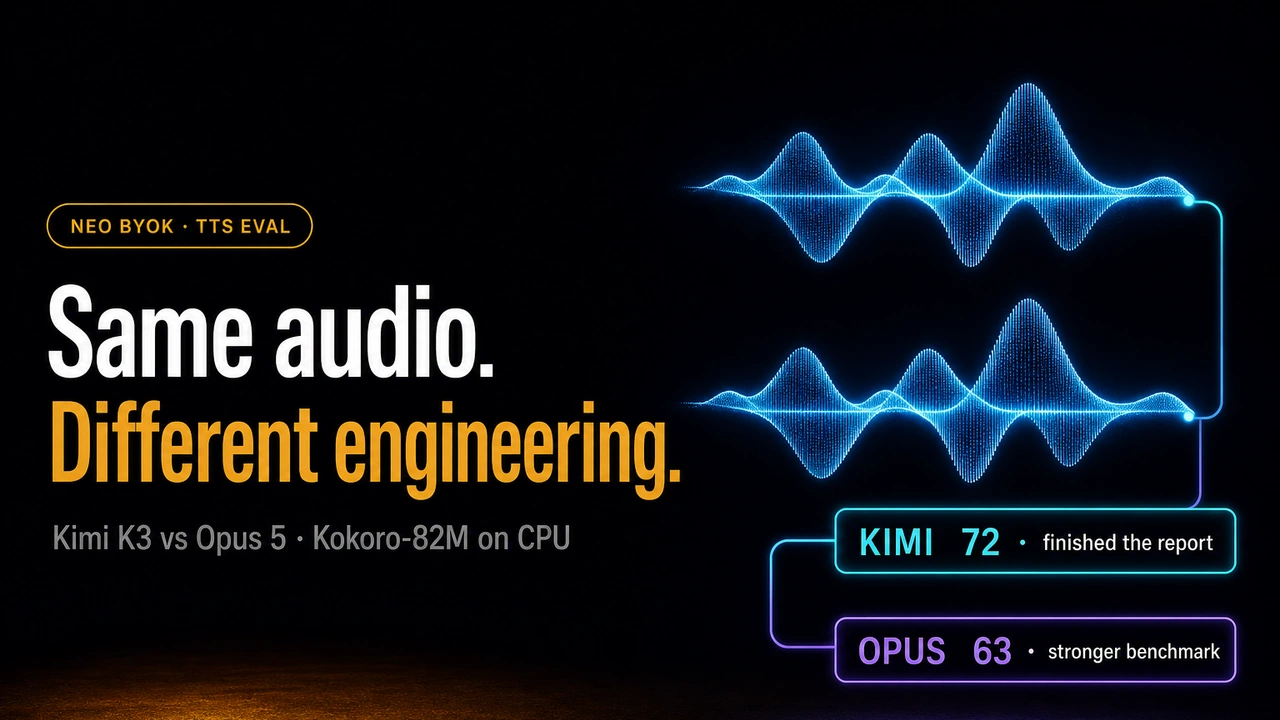
Kokoro-82M turns text into speech. We asked Kimi K3 and Opus 5 to make it generate speech faster on CPU, without sacrificing audio quality, through the same Neo Bring Your Own Key (BYOK) workflow.
The short answer is simple: Opus built the more trustworthy optimization study, but neither model found a fixed thread setting that should be copied to every CPU.
Outcome at a glance
- Stronger study: Opus scored 83/100 for evidence quality; Kimi scored 60/100.
- Independent replay: Kimi was 2.80% faster, which was too small to accept. Opus was 9.81% slower, despite originally reporting 18.66% faster.
- What to use: Auto-tune thread count on the real deployment CPU with representative text.

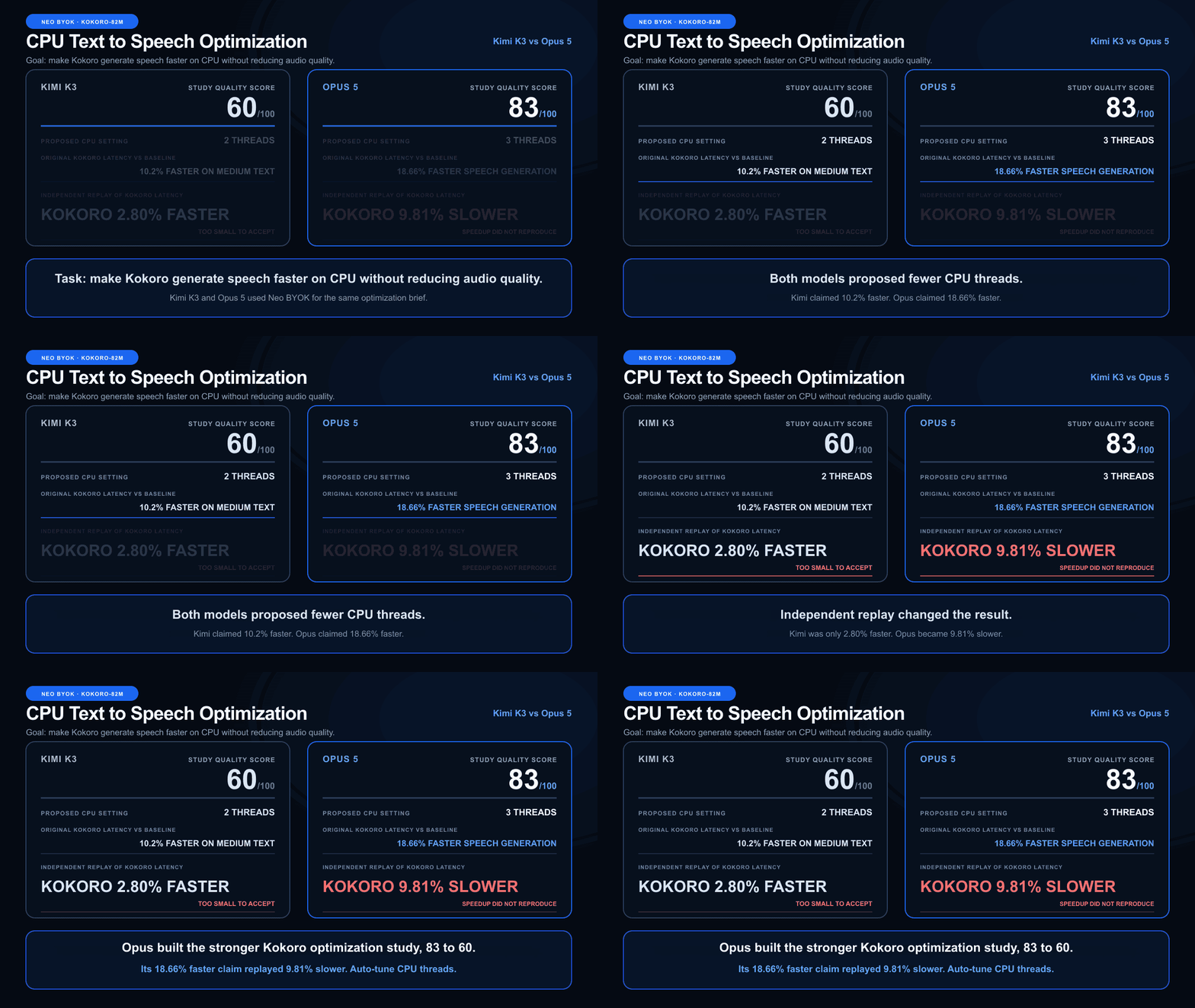 Animated side-by-side Kokoro-82M CPU text-to-speech optimization comparison: Opus 5 scored 83 versus Kimi K3 at 60; Opus claimed 18.66 percent faster speech generation but replay measured Kokoro 9.81 percent slower, while Kimi replayed only 2.80 percent faster
The task and how we compared the models
Both models received the same optimization brief: profile Kokoro-82M, identify the largest CPU bottlenecks, test changes one at a time, and keep only speedups that reproduced above a 5% threshold.
Neo kept the agent workflow and tools fixed. BYOK changed only the model behind the key, making the two delivered studies easier to compare.
| Evaluation detail | Shared setup |
|---|---|
| Task | Make Kokoro-82M speech generation faster on CPU |
| Quality requirement | Preserve usable speech output |
| Acceptance rule | Keep reproducible end-to-end speedups above 5% |
| Independent check | Replay thread settings against the same baseline |
How to read the percentages: every speed result compares speech-generation latency with the baseline configuration. “18.66% faster” means Kokoro took less time to generate speech. “9.81% slower” means it took more time than the baseline.
The original model runs used different prompts, text-processing frontends, and baselines, so their headline numbers were not treated as a direct race. The independent replay used the same fp32 model, inputs, CPU allocation, warmups, and alternating run order.
What each model delivered
Kimi K3
- A compact repository with six focused experiments and an importable optimized wrapper.
- A useful profile that identified the generator and vocoder as Kokoro's main CPU bottleneck.
- A two-thread setting that looked promising for longer speech on the original machine.
- Basic audio checks confirming that output existed and was not silent.
Kimi's work is easy to navigate and practical as a starting point. Its final confirmation measured one setting in a block before measuring the other, which made the result more sensitive to changing machine conditions.
Opus 5
- Alternating baseline and candidate runs instead of measuring each setting in a separate block.
- Confidence intervals showing the likely range of each speed result.
- Wall-time and CPU-time tracking, plus hardware details for every experiment.
- A mirror check that swapped measurement order to detect bias.
- Audio similarity checks covering waveform, frequency content, and basic file health.
Opus recorded rejected experiments instead of hiding them. That made its conclusions easier to inspect, challenge, and reproduce.
The result that matters
The original studies looked encouraging. Kimi reported 10.2% faster performance on medium text and 26.5% on long text with two threads. Opus reported 18.66% faster performance with three threads.
The controlled replay changed that conclusion:
| Result | Kimi K3 | Opus 5 |
|---|---|---|
| Study quality score | 60/100 | 83/100 |
| Proposed CPU setting | 2 threads | 3 threads |
| Original reported result | 10.2% faster on medium text | 18.66% faster |
| Independent short and medium replay | 2.80% faster, too small to accept | 9.81% slower, reject |
| Audio validation | Basic file health | Waveform, frequency, and file health |
 Independent controlled thread results for Kimi K3 and Opus 5
Kimi's two-thread setting did run 35.70% faster in one bounded long-text comparison. That suggests thread count can depend heavily on input length, but it does not support one setting for every workload.
Opus's three-thread setting moved in the opposite direction. It went from 18.66% faster in the original study to 9.81% slower in the replay, while using 62.90% more CPU.
A same-setting sanity check was nearly flat at 0.15%, so the reversal was unlikely to be a simple calculation mistake. CPU state, thread contention, and multiple active runtime thread pools can all change which setting performs best.
Listen to the matched outputs
These samples use identical text, the af_heart voice, speed 1.0, and a 24 kHz sample rate.
Kimi K3 optimized: fp32, graph optimization ALL, intra_op=2, inter_op=1
Opus 5 optimized: fp32, ONNX Runtime defaults except intra_op=3
ONNX Runtime baseline: fp32 with default runtime settings
Each artifact includes its own text-processing pipeline, so these samples compare the complete delivered outputs, not thread count in isolation. Exact text, hashes, latency, and audio-health measurements are available in audio_comparison/metadata.json.
Audio that exists is not automatically correct. Kimi's quantized files were finite and non-silent, but their waveform and frequency measurements were far from the fp32 reference. Opus's stricter checks asked the more useful question: does the faster output still sound like the reference?
Why Opus wins the study review
The score measures the quality of the optimization study, not which model always runs Kokoro faster.
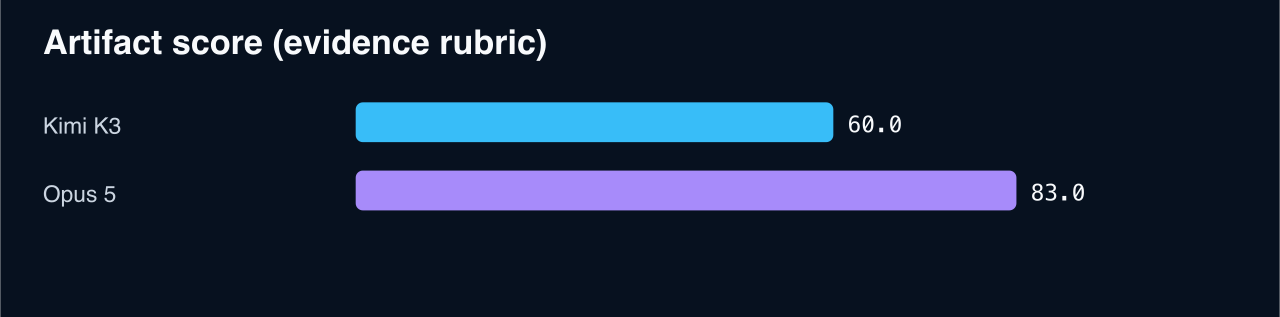 Study quality scores for the Kimi K3 and Opus 5 Kokoro optimization artifacts
| Review area | Weight | Kimi K3 | Opus 5 |
|---|---|---|---|
| Profiling and optimization coverage | 40 | 30 | 33 |
| Experimental rigor | 25 | 9 | 22 |
| Correctness and audio | 15 | 7 | 13 |
| Reproducibility and code | 20 | 14 | 15 |
| Total | 100 | 60 | 83 |
Opus wins because its study gives a reviewer more reasons to trust the process. It alternates measurements, reports uncertainty, tracks CPU cost, checks for run-order bias, and verifies audio similarity. Kimi contributes a simpler wrapper and a useful reason to test fewer threads for longer speech, but its evidence is less conclusive.
What to use in production
Do not copy “two threads” or “three threads” as a universal Kokoro setting. Use this process instead:
- Test several thread counts on the actual deployment CPU.
- Use representative short, medium, and long text from the real workload.
- Alternate baseline and candidate runs, then retain only gains above 5% with a clear confidence range.
- Check latency, CPU use, and audio similarity together.
- Save the best setting for that deployment shape and retest after hardware, runtime, or workload changes.
For deeper optimization, start with Kokoro's generator and vocoder. Both models found that this stage dominates CPU time, especially its convolution and elementwise operations.
The best reusable outcome is Opus's evaluation discipline, Kimi's compact wrapper, and automatic thread tuning for each CPU and workload.
Reproduce the comparison
The complete evidence is in REPORT.md. After following the repository setup instructions, run:
git clone https://github.com/dakshjain-1616/Kimi-K3-vs-Opus-5.git
cd Kimi-K3-vs-Opus-5

python3 verify_comparison.py
taskset -c 0-3 python3 verify_comparison.py --benchmark intra2
taskset -c 0-3 python3 verify_comparison.py --benchmark intra3
taskset -c 0-3 python3 verify_comparison.py --benchmark intra4
python3 generate_charts.py
The verifier is available at verify_comparison.py.
Try NEO in your IDE
Use NEO with your preferred model keys while keeping the workflow, tools, and evidence in one place:
- VS Code: Install NEO for VS Code
- Cursor: Install NEO for Cursor