
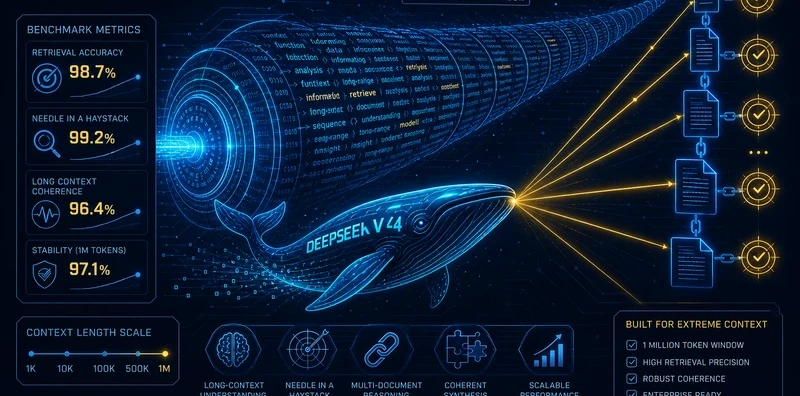
DeepSeek V4 Context Benchmark: Million-Token Performance on Flash, Pro, and Llama 4 Scout

 Architecture
The Problem
Every frontier model claims to handle million-token contexts. The claim is technically true and practically useless without specifics. Does it retrieve a fact buried at position 800K? Does it reason across references spread throughout a 500K-token codebase? Does it synthesize information from multiple long documents, or does it just find the first relevant paragraph and stop? "Supports 1M tokens" tells you the context window; it doesn't tell you whether the model actually uses it.
NEO benchmarked three models that support million-token contexts on four tasks that stress different aspects of long-context utilization, validated on 2026-05-01.
Results
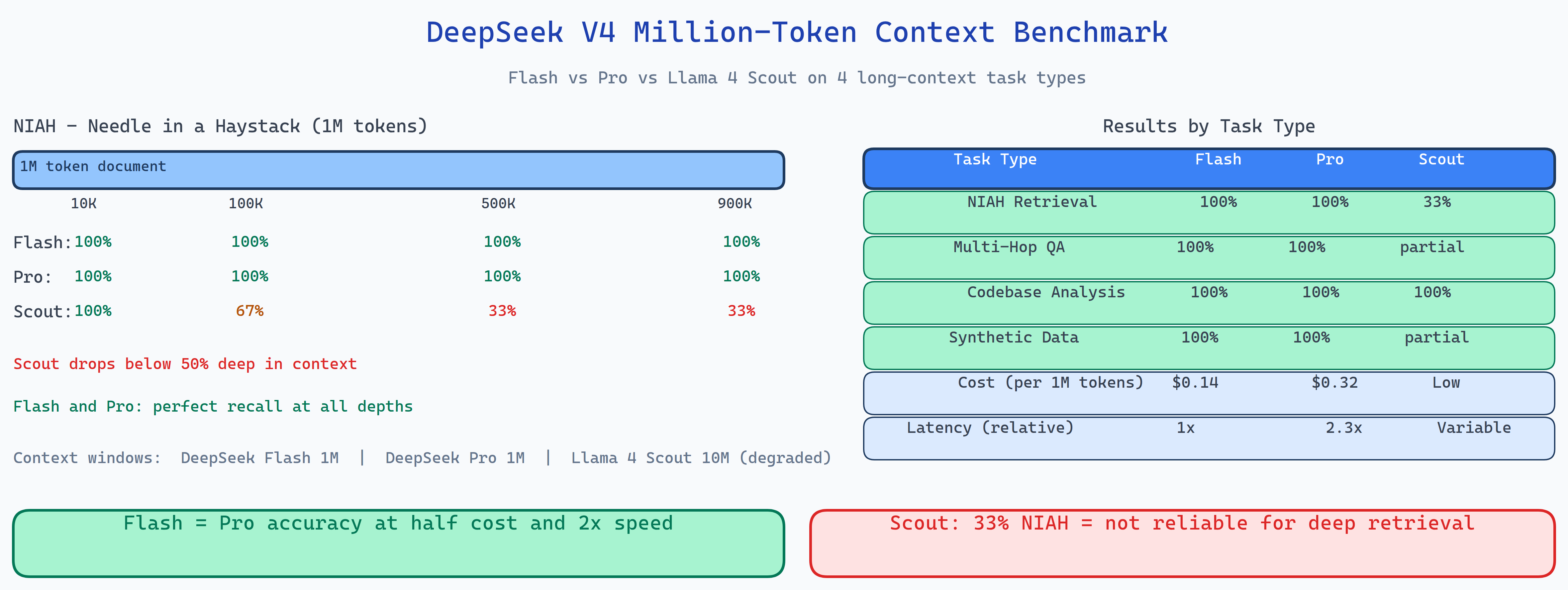
| Model | NIAH Accuracy | MultiHop | Codebase | Cost/1M input | Latency |
|---|---|---|---|---|---|
| DeepSeek V4 Flash | 100% | 100% | Strong | $0.14 | 1× |
| DeepSeek V4 Pro | 100% | 100% | Strong | $0.32 | 2.3× |
| Llama 4 Scout | 33% | 100% | Moderate | Low | Variable |
DeepSeek V4 Flash is the standout. It matches Pro on accuracy across all four task types, completes tasks approximately twice as fast, and costs 2.3× less. For the vast majority of long-context applications, Flash is the right choice.
Llama 4 Scout's NIAH result (33%) is the headline finding. Perfect on multi-hop reasoning but failing on needle-in-haystack means the model can chain logic when it finds the right passages, but it struggles to locate specific facts at specific positions in a million-token context. The practical implication: Llama 4 Scout is not reliable for retrieval-heavy long-context tasks.
The Four Task Types
Needle in a Haystack (NIAH): a specific fact is embedded at a known position in a long document. The model must retrieve it exactly. Positions tested: 10K, 100K, 500K, 900K tokens into a 1M-token document. Flash and Pro retrieved correctly at all positions; Scout failed at deep positions.
Multi-Hop Reasoning: a chain of three to five logical steps, each requiring a different passage to be located. All three models scored 100%, suggesting that multi-hop reasoning within long contexts is a solved problem at the current model scale.
Codebase Analysis: a large synthetic codebase (300K–800K tokens) with specific bugs, function signatures, and architectural patterns that need to be found and explained. Flash and Pro performed strongly; Scout showed more hallucination on function names that appeared infrequently.
Synthetic Data Tasks: structured extraction from long synthesized documents (financial reports, research papers). All models performed well, with Flash and Pro achieving 100% on extraction accuracy.
The Cost-Performance Takeaway
DeepSeek V4 Flash at $0.14/M input tokens delivers the same long-context accuracy as V4 Pro at $0.32/M tokens with roughly half the latency. Unless you have a specific reason to believe Pro's additional inference compute helps on your particular task distribution, Flash is the economically dominant choice.
Llama 4 Scout is competitive on cost but its 33% NIAH accuracy means it should not be used as a drop-in replacement for deep-retrieval workloads. It works on reasoning tasks, not on retrieval tasks.
How to Build This with NEO
Open NEO in VS Code or Cursor and describe what you want to build. A good starting prompt for this project:
"Build a long-context benchmark comparing DeepSeek V4 Flash, V4 Pro, and Llama 4 Scout on four task types: needle-in-haystack retrieval at positions 10K/100K/500K/900K in a 1M-token document, multi-hop reasoning requiring 3–5 linked passages, codebase analysis over a 300K–800K token synthetic codebase, and structured extraction from long synthetic documents. Record accuracy, latency, and cost per 1M input tokens for each model-task combination. Generate a comparison table and per-task accuracy charts. Support configurable context lengths and a --positions flag to test specific NIAH depths."
NEO scaffolds the document generation, the NIAH position placement, the multi-hop reasoning chain construction, the model runner, and the cost/latency tracker. From there you iterate: extend NIAH to test positions every 50K tokens for a heat map of retrieval accuracy across the full context window, add more models to the comparison, or design domain-specific long-context tasks for your production use case.
To run the finished project:
git clone https://github.com/dakshjain-1616/DeepSeek-V4-Context-Benchmark
cd DeepSeek-V4-Context-Benchmark
pip install -r requirements.txt
cp .env.example .env  # add API keys

python run_benchmark.py --task niah --positions 10000,100000,500000,900000
python run_benchmark.py --task multihop
python run_benchmark.py --task all  # full suite
NEO benchmarked million-token context on three models and found DeepSeek V4 Flash matches Pro's accuracy at half the cost and twice the speed, and Llama 4 Scout's 33% NIAH score means it's not reliable for deep retrieval workloads. See what else NEO ships at heyneo.com.
Try NEO in Your IDE
Install the NEO extension to bring AI-powered development directly into your workflow:
- VS Code: NEO in VS Code
- Cursor: Install NEO for Cursor