
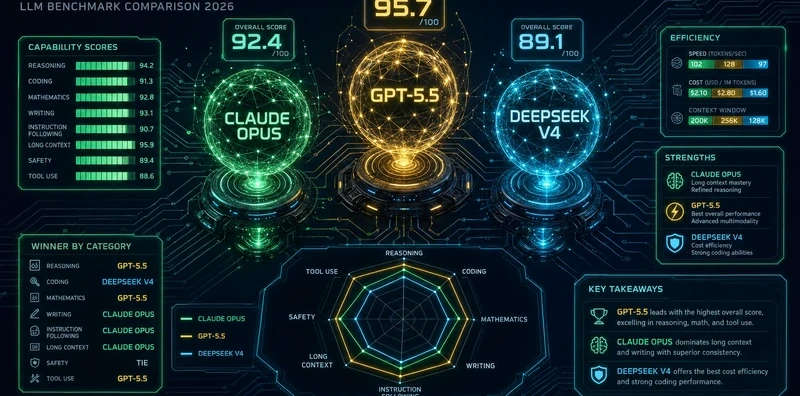
Claude Opus 4.7 vs GPT-5.5 vs DeepSeek V4 Pro: 13-Task Reasoning Benchmark

 Architecture
The Problem
Three frontier models, each with a vendor-produced benchmark deck where it wins. What you want is a small set of hard tasks that actually split the models, not easy enough for all three to ace, not so hard that all three fail. You want them judged by a model that isn't any of the contestants. And you want the results to tell you something actionable, not just produce another leaderboard number.
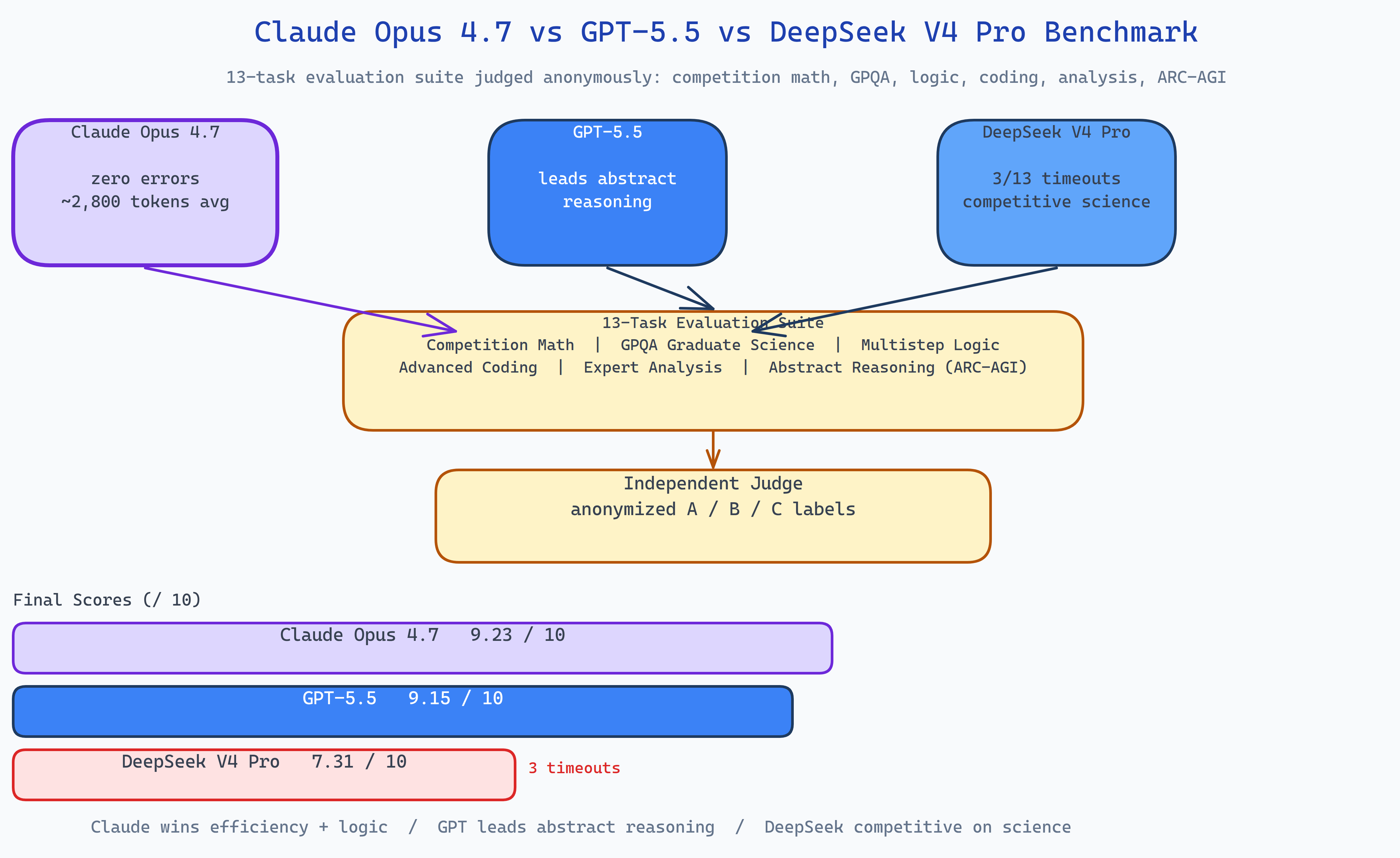
NEO ran 13 hand-curated hard reasoning tasks across six domains through Claude Opus 4.7, GPT-5.5, and DeepSeek V4 Pro, with an independent judge scoring all outputs on a 0–10 scale.
Results (run: 2026-05-01)
| Rank | Model | Avg Score (/10) | Notes |
|---|---|---|---|
| 1 | Claude Opus 4.7 | 9.23 | Most token-efficient; zero errors; ~2,800 tokens avg |
| 2 | GPT-5.5 | 9.15 | Tied in most categories; leads on abstract reasoning |
| 3 | DeepSeek V4 Pro | 7.31 | Competitive accuracy when available; 3/13 timeouts |
Claude dominated multistep logic (9.5 vs GPT's 8.0), while GPT-5.5 led on abstract reasoning. DeepSeek matched its competitors on graduate science but faced reliability issues, 3 of 13 prompts timed out at 240s × 5 retries.
The 13-Task Suite
Tasks are deliberately picked to split the models:
| Domain | Tasks | What it tests |
|---|---|---|
| Competition Math | AIME-style problem, contour integration | Rigorous symbolic reasoning |
| Graduate Science | Quantum mechanics, organic chemistry, cancer biology (GPQA-style) | Deep domain knowledge under uncertainty |
| Multistep Logic | Deduction puzzle, non-adaptive 12-coin balance | Exhaustive case analysis, no shortcuts |
| Advanced Coding | Graph algorithm, substring optimization | Algorithmic correctness and complexity analysis |
| Expert Analysis | Macroeconomic transmission, ethical dilemma | Structured argumentation and tradeoff reasoning |
| Abstract Reasoning | Grid-pattern inference (ARC-AGI style) | Novel pattern recognition from examples |
Key Findings
Claude wins on efficiency and reliability. The 9.23 average is backed by zero failures and ~2,800 average tokens, it arrived at correct answers without extended reasoning traces. On multistep logic, which requires exhaustive case enumeration, Claude's score of 9.5 versus GPT's 8.0 reflects a methodical case-by-case approach that didn't miss branches.
GPT-5.5 leads on abstract reasoning. On the ARC-AGI-style grid task, GPT scored 6 vs Claude's 4. This domain is specifically designed to resist memorization, the model has to infer a novel rule from a small example set. GPT's lead here is the most interesting finding in the suite.
DeepSeek faces reliability issues at scale. The model matched its competitors on graduate science, where each prompt completes well within the timeout. The three timeouts (multistep logic, graph algorithm) are the single largest drag on its average. "Competitive when available" is a meaningful qualifier for production use.
Math and science are largely solved at the frontier tier. Both Claude and GPT achieved near-perfect scores on competition math and graduate science. The tasks that discriminate at this performance level are multistep logic, abstract reasoning, and long-horizon coding, categories where exhaustiveness and generalization matter more than knowledge retrieval.
How NEO Ran It
The runner uses the OpenAI SDK pointed at each provider's endpoint:
- Load the 13 tasks from YAML with expected-property checkers.
- For each task: call all three models with
max_tokens=8192, record response, latency, and token counts. - Judge pass: call the independent judge with anonymized A/B/C labels, requesting structured JSON
{scores, winner, reasoning}. - Assemble
REPORT.md.
Tasks can be re-run individually, and the judge can be swapped. The default judge is GPT-5.5 itself on the tasks where DeepSeek or Claude is a contestant, on GPT-5.5 tasks, Claude Opus 4.7 judges.
How to Build This with NEO
Open NEO in VS Code or Cursor and describe what you want to build. A good starting prompt for this project:
"Build a three-model reasoning benchmark comparing Claude Opus 4.7, GPT-5.5, and DeepSeek V4 Pro on 13 hard tasks across competition math, graduate science (GPQA-style), multistep logic, advanced coding, expert analysis, and abstract reasoning (ARC-AGI style). Use the OpenAI SDK pointed at each provider's endpoint. Record responses, latency, and token counts per task. Run an independent judge that anonymizes contestant labels and returns structured JSON scores. Handle timeouts gracefully, log them as failures without crashing the run. Assemble a REPORT.md with a summary table and per-task analysis. Support --only <task_id>, --skip-judge, and --rejudge-only flags."
NEO scaffolds the task loader, the multi-provider runner, the judge integration, the timeout handler, and the report assembler. From there you iterate: add a fourth model to the comparison, extend the task suite with domain-specific prompts from your workload, add bootstrap sampling for confidence intervals on the score differences, or generate per-category radar charts.
To run the finished project:
git clone https://github.com/dakshjain-1616/Claude-Opus-4.7-vs-GPT-5.5-vs-DeepSeek-V4-Pro-Reasoning-Benchmark
cd Claude-Opus-4.7-vs-GPT-5.5-vs-DeepSeek-V4-Pro-Reasoning-Benchmark
pip install -r requirements.txt
cp .env.example .env  # add API keys

python run_benchmark.py               # full run (~45 min)
python run_benchmark.py --only math_001  # single task
python run_benchmark.py --rejudge-only   # reuse outputs, re-judge
NEO ran 13 hard reasoning tasks through three frontier models with an independent judge and found Claude wins on efficiency and logic, GPT on abstract reasoning, and DeepSeek competitive on science but unreliable on long-horizon tasks. See what else NEO ships at heyneo.com.
Try NEO in Your IDE
Install the NEO extension to bring AI-powered development directly into your workflow:
- VS Code: NEO in VS Code
- Cursor: Install NEO for Cursor